
Wrap Them Together
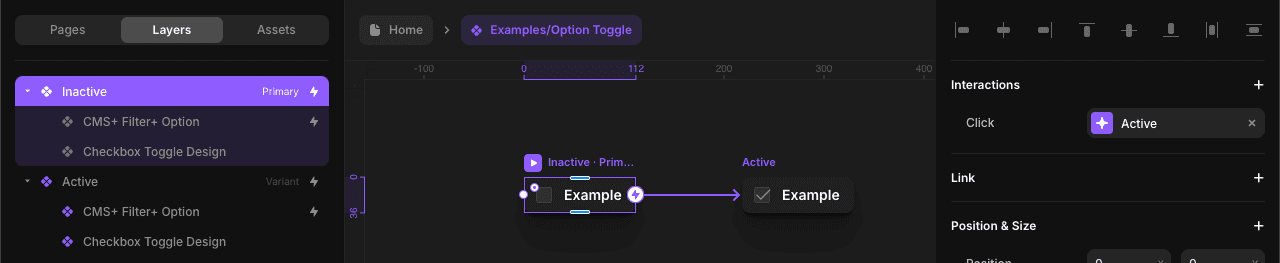
In this example, we're combining a Filter+ Option with a custom toggle component by nesting them inside a new component. Once nested, you can configure this new component just like any other.
Positioning Invisible Components
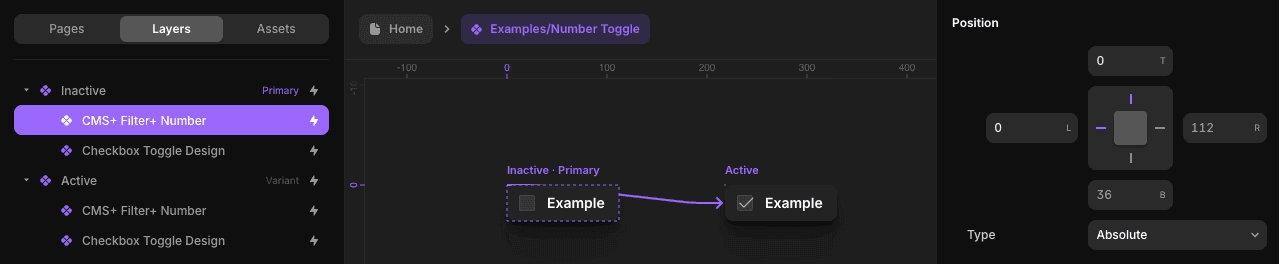
Most CMS Plus components are invisible, but Framer still detects them and it may affect your layout. To avoid this, set the component's position to absolute and anchor it to a corner if needed.
Why Integrate?
Integrating CMS Plus components into your custom components unlocks:
- Interactive filtering – Toggle filters on and off with button clicks
- Reusable components – Build filter buttons once and reuse them across pages
- Custom designs – Match your brand while still using CMS Plus logic
- Dynamic behavior – Use variants to show active/inactive or checked/unchecked states
Best Practices
- Use absolute positioning – Keep invisible components from affecting your layout
- Create reusable variants – Build filter-driven components once, reuse everywhere
- Test interactions – Verify variant transitions feel smooth and predictable
- Organize components – Group related filters and interactions for easier maintenance